
The Problem:
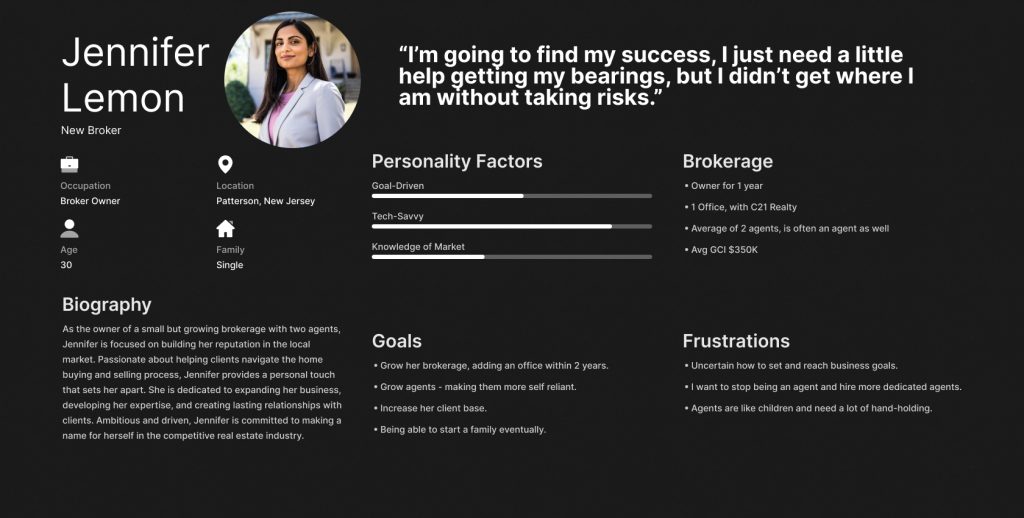
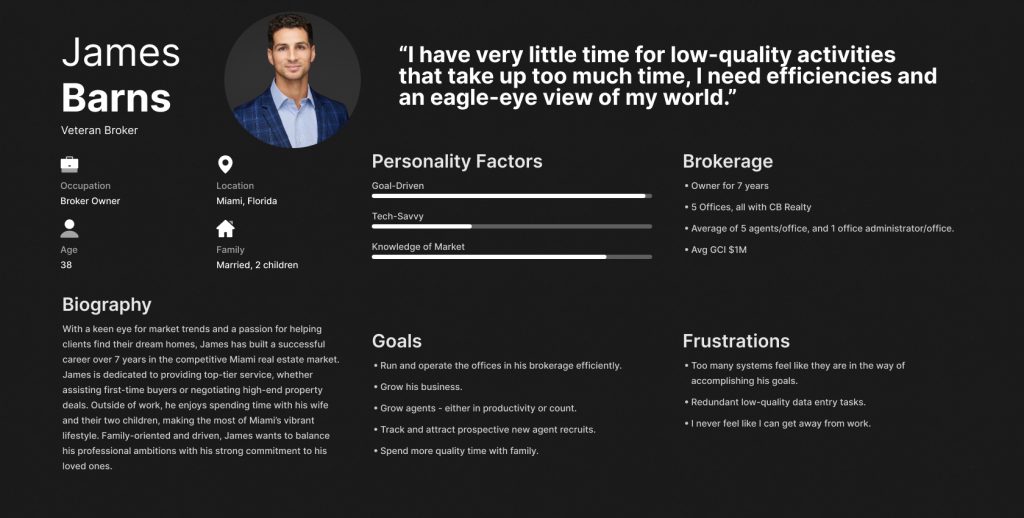
As we scaled Broker OS, we uncovered a challenge: designing a product that supports two vastly different user types.
- New Brokers: Tech-forward, lean operations, hungry to grow
- Veteran Brokers: Larger teams, traditional workflows, hesitant to adopt new systems
Adding to this: depth vs. simplicity. Power users needed robust tools, but that depth threatened to overwhelm others. We needed to surface the right features at the right time – without burying users in menus or training.
Design challenge: Could we create a UX that flexes with the user’s experience level?
The Opportunity: Natural Language as Interface
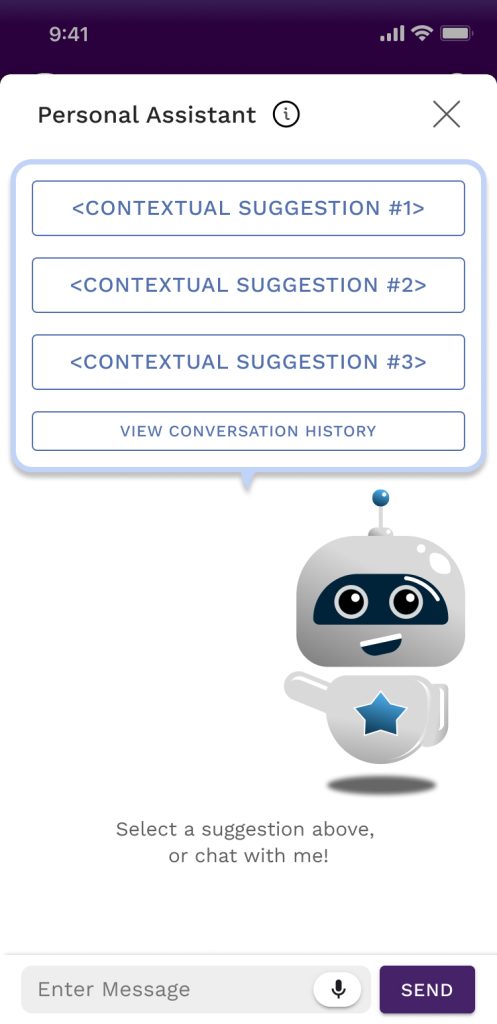
To address discoverability and usability, I proposed an AI assistant that acted as both navigator and operator.
The assistant would:
- Let users skip complex flows with simple commands
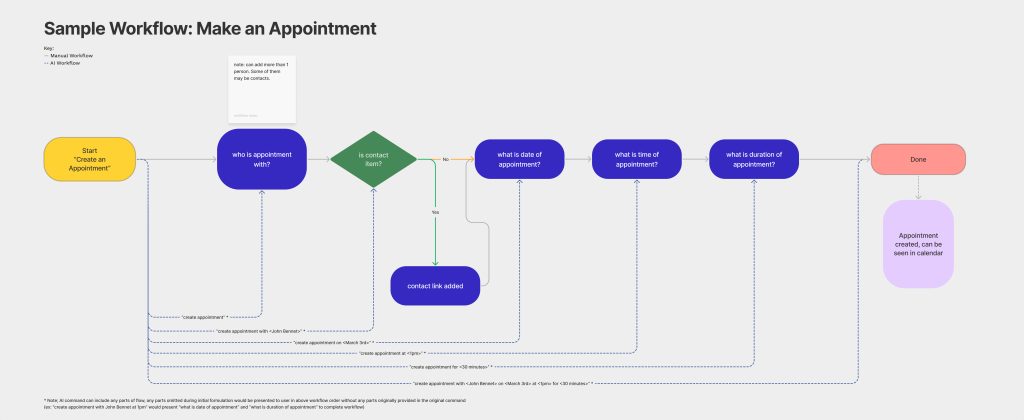
(ex: “set an appointment with Jim Roberts on May 10th at 10:00 a.m. for 30 minutes“) - Contextually suggest next steps based on their role, location in the app, and behavior
- Offer a lightweight layer on top of complex dashboards for instant insights
This wasn’t about AI for novelty – it was AI as a shortcut to value.
Example Screens:
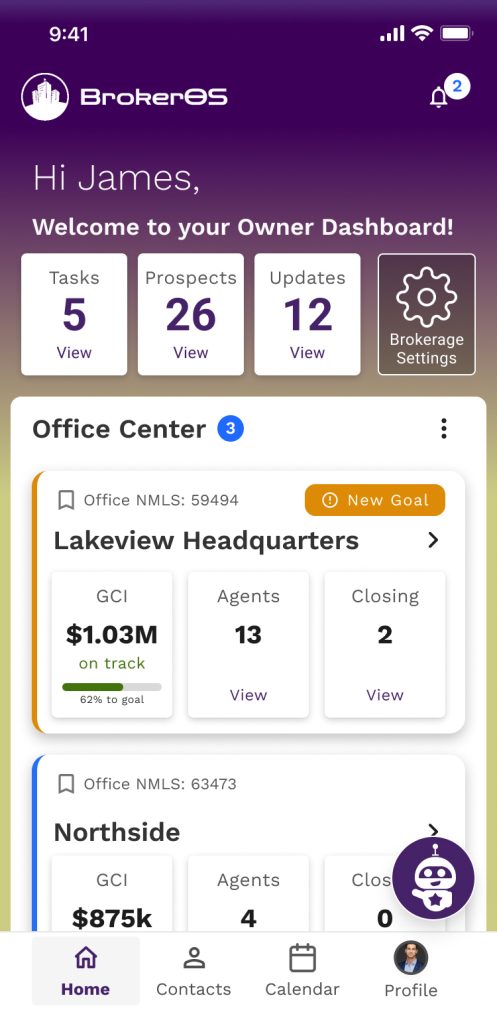
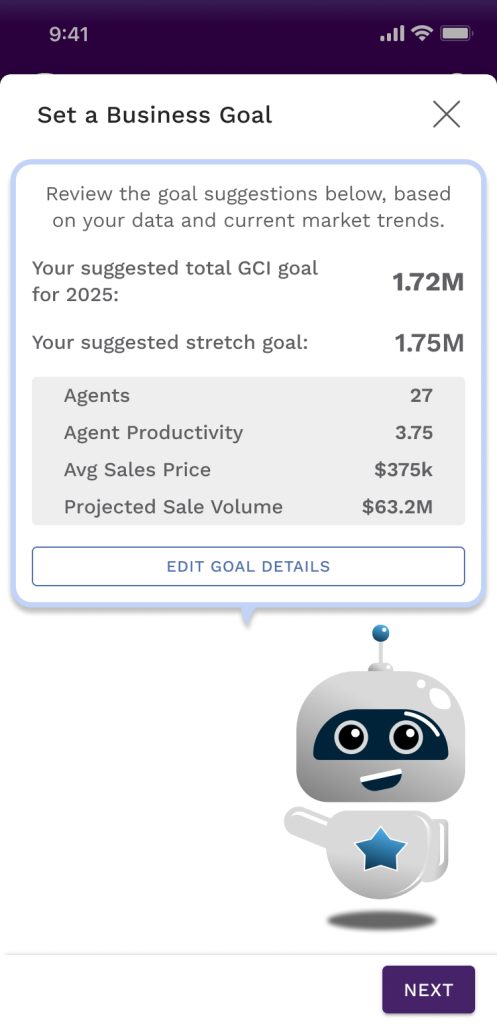
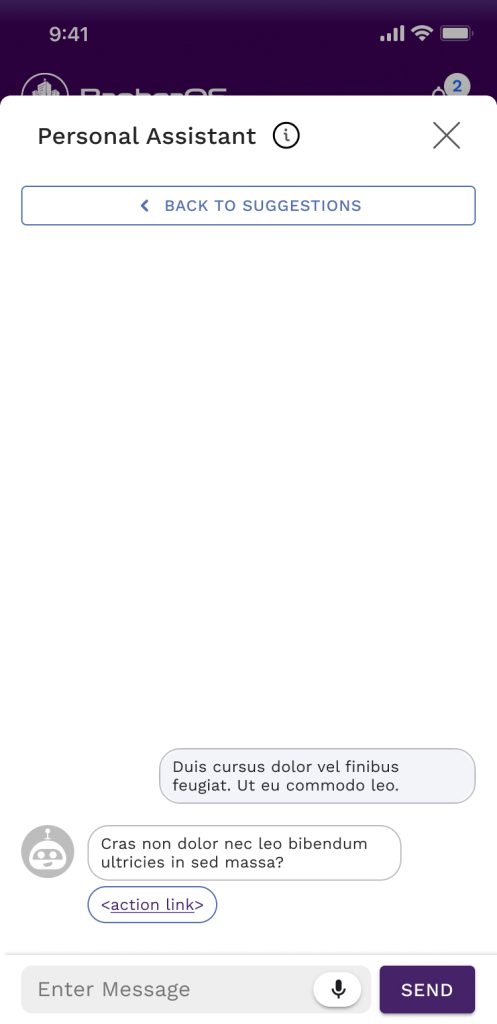
How We Designed It
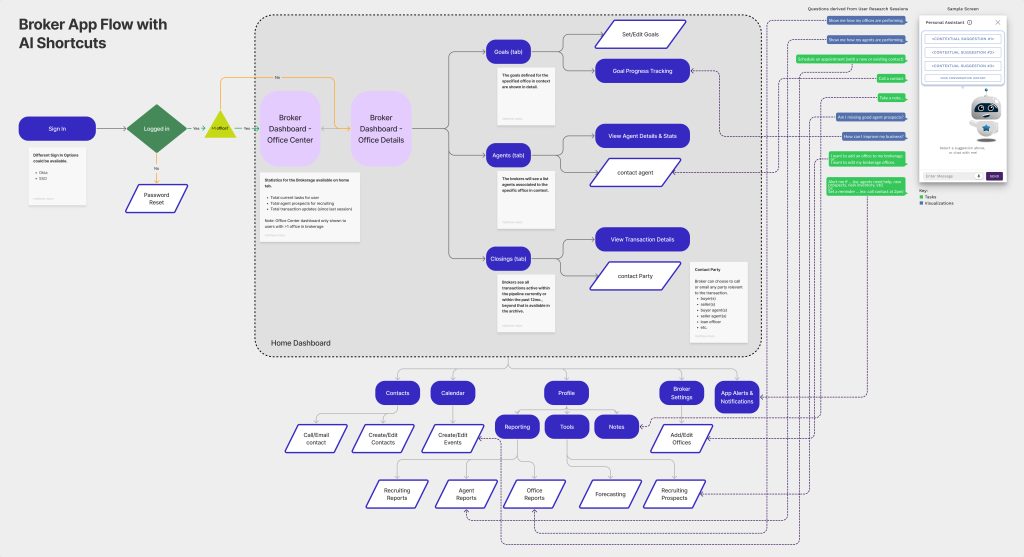
We mapped typical broker tasks and categorized them:
- Task-based commands: schedule meetings, contact agents, take notes, set a reminder
- Insight-based commands: “Who are my top performers?” “How close am I to my goals?” etc.
For each, I built both the manual workflow and its AI-triggered equivalent. We designed natural language inputs, system prompts, fallback logic, and paired them with friendly UI responses.
User Testing with Two Personas
I built a focused prototype and tested with 8 users split evenly between New and Veteran brokers.
The Impact from the Solution:
The AI assistant didn’t just accelerate workflows – it reduced friction, boosted confidence, and reframed the product as approachable.
It became more than a feature – it was a virtual office admin, bridging gaps between roles, experience levels, and tech comfort zones.
| “I have no idea how I could possibly get to this information today without a lot of manual work.” – The most common open-ended response to the question “How would you accomplish this today?” |
| Task Flow | Avg Time on Manual Task | Avg Time on AI Task | Sentiment Score |
| Set Business Goals | 6 min | 2 min |
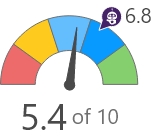 |
| Find Agent, Call Them | 4 min | 1 min |
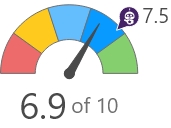 |
| Compare My Agents Productivity | 8 min | 1 min |
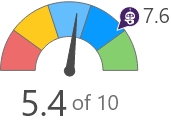 |
| Find Recruits, Add and Compare Them | 12 min | 3 min |
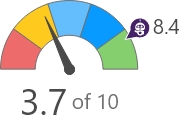 |